Understand Threats. Build Protective Habits.

Our mission is to help people develop knowledge of digital risks, information protection, and event analysis without exaggerated claims. We aim to demonstrate the connections between individual concepts and explain how they can be applied within realistic learning situations.

  • GitHub logo with a black circle and white silhouette of a cat.
  • LinkedIn logo on a white background
  • Black circle with a white 'M' in the center

How We Began

Klyvara began with the idea of making cybersecurity learning more organized and meaningful. Our team combined experience in digital event review, data protection, database security, and documentation to create courses with explanations, diagrams, learning scenarios, and self-review tasks.

  • Kasey Chavez

    Kasey Chavez

    Cyber Risk Specialist

    She evaluates digital events

    according to likelihood, context,

    and possible consequences.

    She creates matrices, review

    questions, and practical

    scenarios for structured analysis.

  • Lonny Key

    Lonny Key

    Network Security Engineer

    He examines network structures,

    data movement, and interactions

    between digital components.

    He develops clear diagrams

    for identifying weak areas and

    organizing protective measures.

  • Jennifer Maxwell

    Jennifer Maxwell

    Cybersecurity Auditor

    She reviews record structures,

    internal procedures, and

    documentation completeness.

    She identifies inconsistencies and

    prepares clear recommendations

    for later process review.

See How Each Course Is Built

Review the general format of Klyvara courses before choosing a learning direction. Explore module subjects, sample assignments, diagrams, and the way the materials are presented. Each course covers a separate area of cybersecurity and extends earlier subjects through new scenarios and analytical tasks. Select Preview Courses to compare course outlines and identify a suitable direction for further study.

  • A stylized digital shield icon with layered 3D blocks in shades of blue, teal, and dark navy on a plain white background.

    Useful Materials

    Tables, diagrams

    and templates

    complement the

    explanations and

    support independent

    study.

  • A flat vector icon depicting a document with a shield and a magnifying glass, representing security, verification, or proof of purchase, on a solid white background.

    Scenario Analysis

    Learning situations

    help participants

    compare signals

    and document observations.

  • A stylized circular schematic or wheel graphic with teal, dark gray, black, and white elements on a plain white background.

    Connected Topics

    Each module shows

    how data, accounts,

    events, and protective

    actions interact within

    a digital environment.

  • A stylized digital icon of a teal and white eye centered on a rounded square with cyan circuit-like lines over a dark navy background, shown on a plain white backdrop.

    Personal Pace

    Learners can review

    materials in a

    suitable sequence,

    return to previous

    topics, and repeat

    assignments.

  • Hilary Rojas

    Hilary Rojas

    Hilary had experience handling numerous messages,

    notes, and internal requests, but she found it difficult

    to determine which details required closer attention.

    She wanted a consistent way to examine context,

    request sources, and connected records. She valued

    the short scenarios, review questions, and closing

    forms used to document each stage of an event review.

    “I appreciated that every assignment had a specific

    context and required me to review the facts before

    writing a conclusion.”

  • Donte Case

    Donte Case

    Donte already worked with internal records

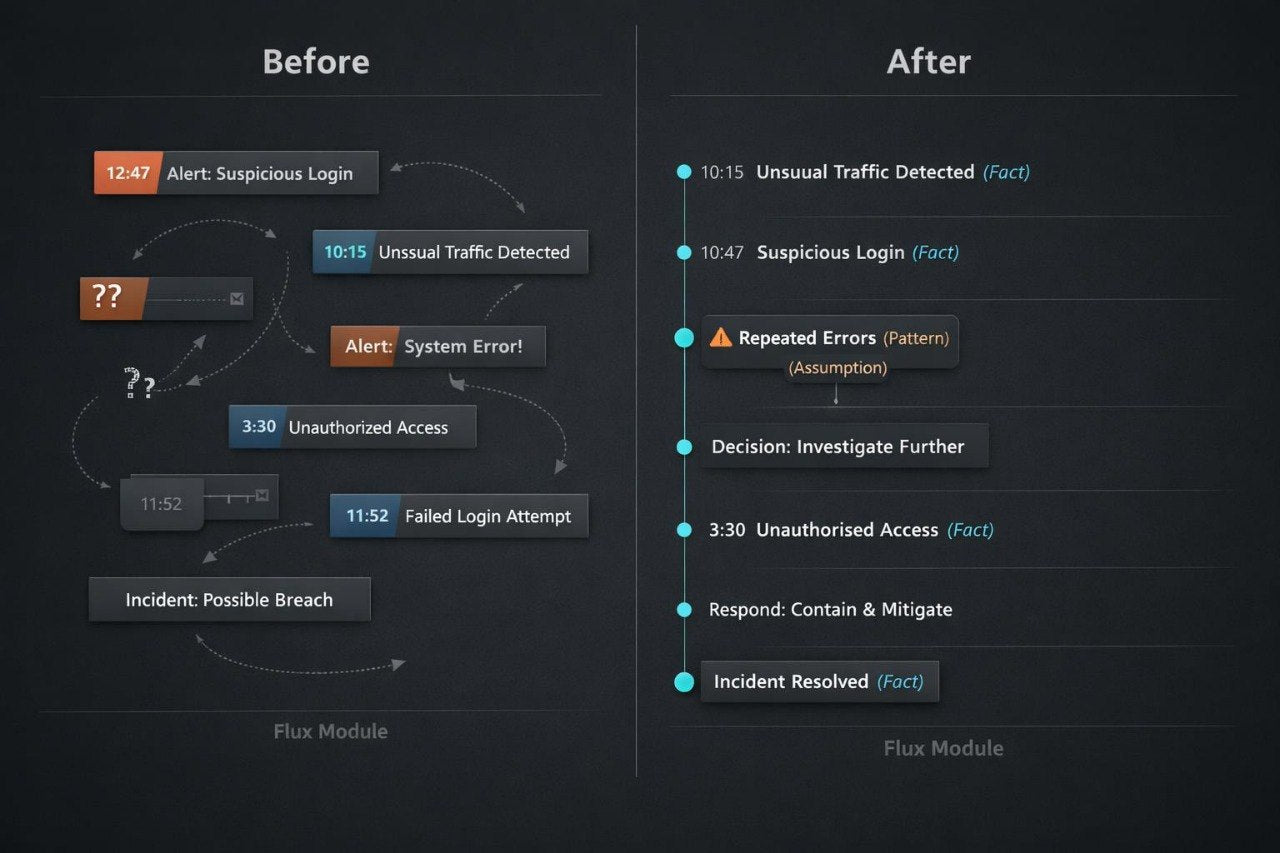
    and reports, but he wanted to document unusual

    digital events more consistently. He needed a way

    to separate confirmed information from assumptions

    and prepare readable timelines. He valued the neutral

    explanations, record templates, and scenarios that

    required events to be arranged in a logical sequence.

    “The timeline format was the part I valued most

    because it showed me which details should be

    recorded and which ones still needed review.”

30-Day Money-Back Guarantee

Try the course risk-free. If you're not satisfied for any reason, get a full refund. No questions asked. Refund requests may be submitted within 30 days in accordance with our Refund Policy.

  • A silver laptop with a black keyboard and screen, displaying a digital graphic that reads 'Frame Set' in a cyan box against a dark tech-themed background, isolated on a white backdrop.
  • A hand holding a black smartphone against a white background, with the screen displaying the text 'Vertex Archive' on a dark blue tech-themed background.
  • A black tablet or e-reader device centered on a plain white background, displaying a blue and black digital interface with the text 'Luma Archive'.

Meet the Klyvara Approach

Begin exploring the Klyvara approach through complimentary learning materials. The collection includes concise explanations, review questions, and examples of digital situations. These materials provide an introduction to the format, writing style, and level of detail used throughout our courses. Choose a complimentary resource and examine one foundational cybersecurity subject at your own pace.